

We’re going into the world of image transfer onto wood, and we’re going deep, so grab your scuba gear.
The best way to transfer an image onto wood depends on your printer. With an inkjet printer, use freezer paper, wax paper or t-shirt transfer paper. With a laser printer or a photocopy, use Mod Podge photo transfer medium, acrylic gel medium, acetone, Citrasolv or a xylene blender marker. Below are 7 methods with supplies, steps, pros and cons, based on the author’s hands-on tests.
Whether you want to transfer a photo print to wood or a graphic or words, it is satisfying to peel back the paper and see your image on the wood. The author tried wax paper, freezer paper, gesso, t-shirt iron-on paper, paint, acetone, a blender pen and acrylic gel medium, and these are the non-scientific results.
What Is the Best Way to Transfer an Image onto Wood?
| Method | Best for | Time | Materials |
|---|---|---|---|
| Freezer paper or wax paper | Inkjet prints, rustic look | 30 min | Freezer or wax paper, inkjet printer, credit card, sanded wood |
| T-shirt transfer paper | Crisp, saturated inkjet prints | 30 min | Inkjet transfer paper, iron, thin cloth, wood |
| Mod Podge or acrylic gel medium | Laser prints, rough or painted wood | Overnight dry | Laser print, gel medium or Mod Podge, brush |
| Gel medium film (10+ layers) | Collage and clear image sheets | Several days | Glossy magazine page, gel medium, brush |
| Xylene blender marker | Black and white laser prints | 15 min | Laser print, xylene blender marker, burnisher |
| Acetone | Laser prints and photocopies, adults only | 15 min | Laser print, acetone, cotton balls, burnisher |
| Citrasolv concentrate | Laser prints and photocopies, adults only | 15 min | Laser print, Citrasolv concentrate, burnisher |
| Gesso or paint transfer | Painted or textured finishes | Overnight dry | Laser print, gesso or acrylic paint, brush |
Table of Contents: Click on a link to be transported directly to that section.
- Wax Paper and Freezer Paper Wood Transfer
- T-shirt Transfer Paper on Wood
- Mod Podge and Acrylic Gel Medium Transfer to Wood
- Blender Marker Transfer to Wood
- Acetone Transfer to Wood
- Citrasolv Print Transfer to Wood
- Image Transfer to Painted Wood
Important Reminders:
Print a mirror image of your photo (especially if you’re printing words or a face) so it isn’t backwards once you transfer it.
Your wood surface needs to be as smooth as you can make it. Fine grit sandpaper is your friend here.
When cutting your images out of the paper, leave a little white border so you have a place to hold the paper down, and you don’t have to cut the edge perfectly straight.
If you’re transferring right to the wood, as with the wax paper, freezer paper and blender marker methods, you can use more force with the burnisher. With the gel medium, gesso and paint techniques, press down just hard enough to flatten the image into the medium and push out air bubbles.
Safety: acetone, xylene blender markers and Citrasolv are solvents. Use them only with adult supervision, outdoors or in a well-ventilated space, away from flames, and wear gloves. Kids can do the freezer paper, wax paper and gel medium methods.
Inkjet Print Transfer With Wax Paper and Freezer Paper
You can use wax paper or freezer paper to transfer prints onto wood. The waxy finish keeps the ink from soaking into the paper, so it moves to the wood when you burnish it. You can feed both papers through an inkjet printer if you follow a few tips.
Supplies:
- Inkjet printer
- Wax paper
- Freezer paper
- Credit card or plastic scraper to burnish the prints
- Wood surfaces: painting panels, cut wood pieces, anything smooth and unfinished
- Clear spray fixative if you want to seal your print
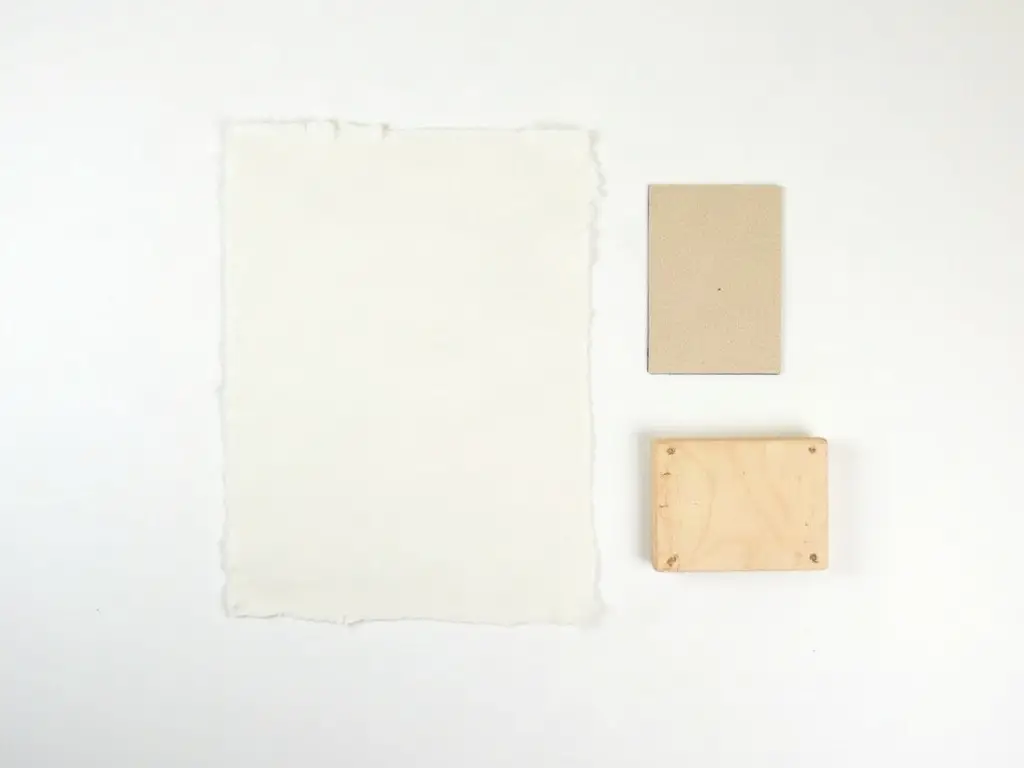
Print Transfer With Wax Paper
Tape a sheet of letter-size printer paper over a long piece of wax paper folded over on itself a few times. Cut around the printer paper with a metal ruler and craft knife to cut several sheets at once. Then put a piece of wax paper in the printer tray and print straight onto it. Expect the occasional paper jam.
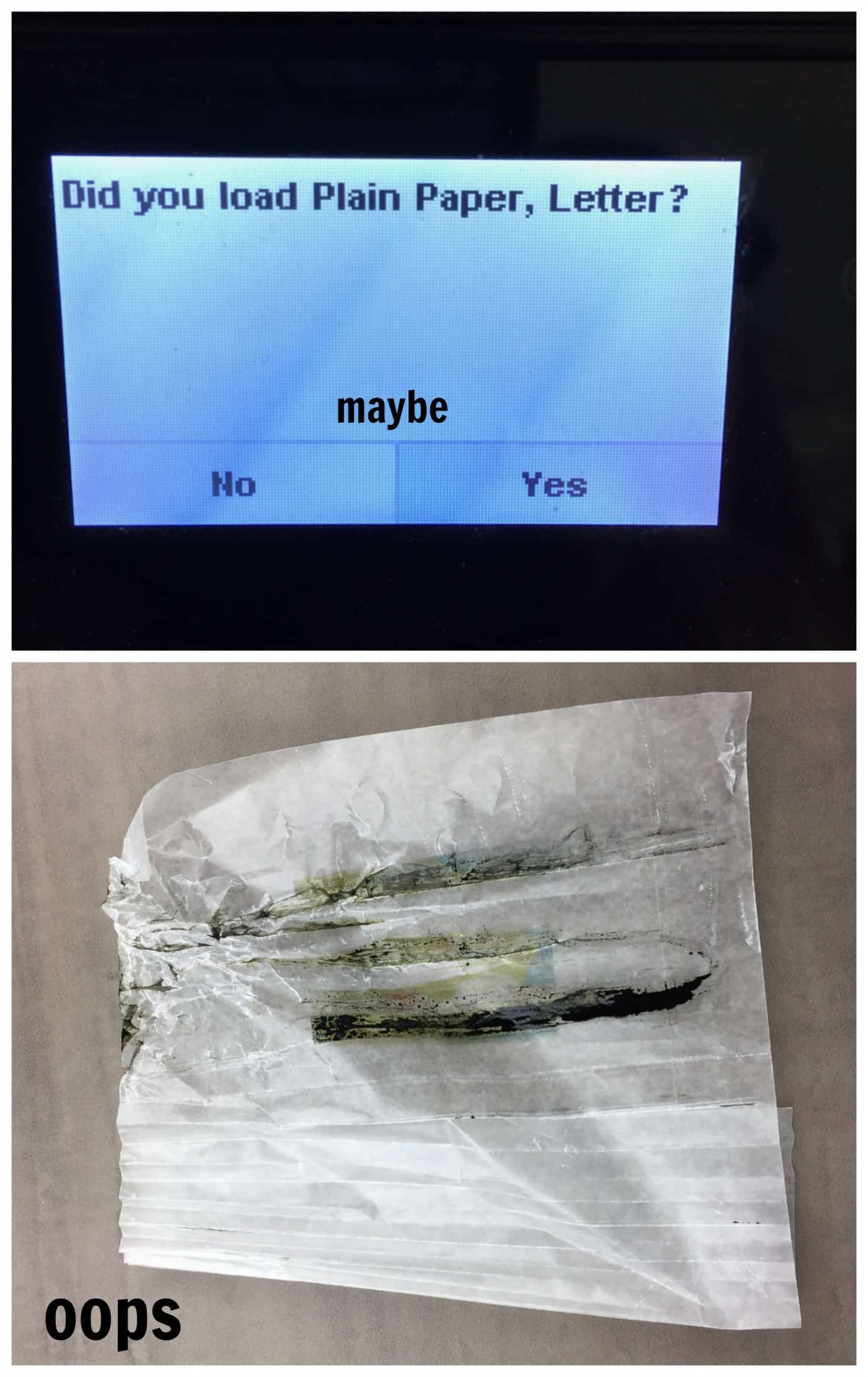
Remove the print carefully without touching the ink. It smudges easily because it sits mostly on the surface of the wax.
Print Transfer With Freezer Paper
Freezer paper is thicker than wax paper, but it still jammed unless it was taped to a piece of printer paper first. Use double-stick tape to attach the freezer paper to the printer paper, shiny side out. After printing, avoid touching the ink, then cut around the print with scissors or gently detach the printer paper. The paper tends to curl, so be patient.
Transferring the Image From Wax Paper or Freezer Paper
- Flip your image over slowly and carefully onto the wood surface.
- Hold it in place firmly (or tape it) and burnish with the edge of a plastic scraper or credit card.
- The waxy coating makes the image slide, so hold it down. You can see through the paper, more easily with wax paper, so check that it has not shifted.
- Peel back a corner while holding the rest in place to check the transfer.
- Don’t burnish so hard that the paper rips.
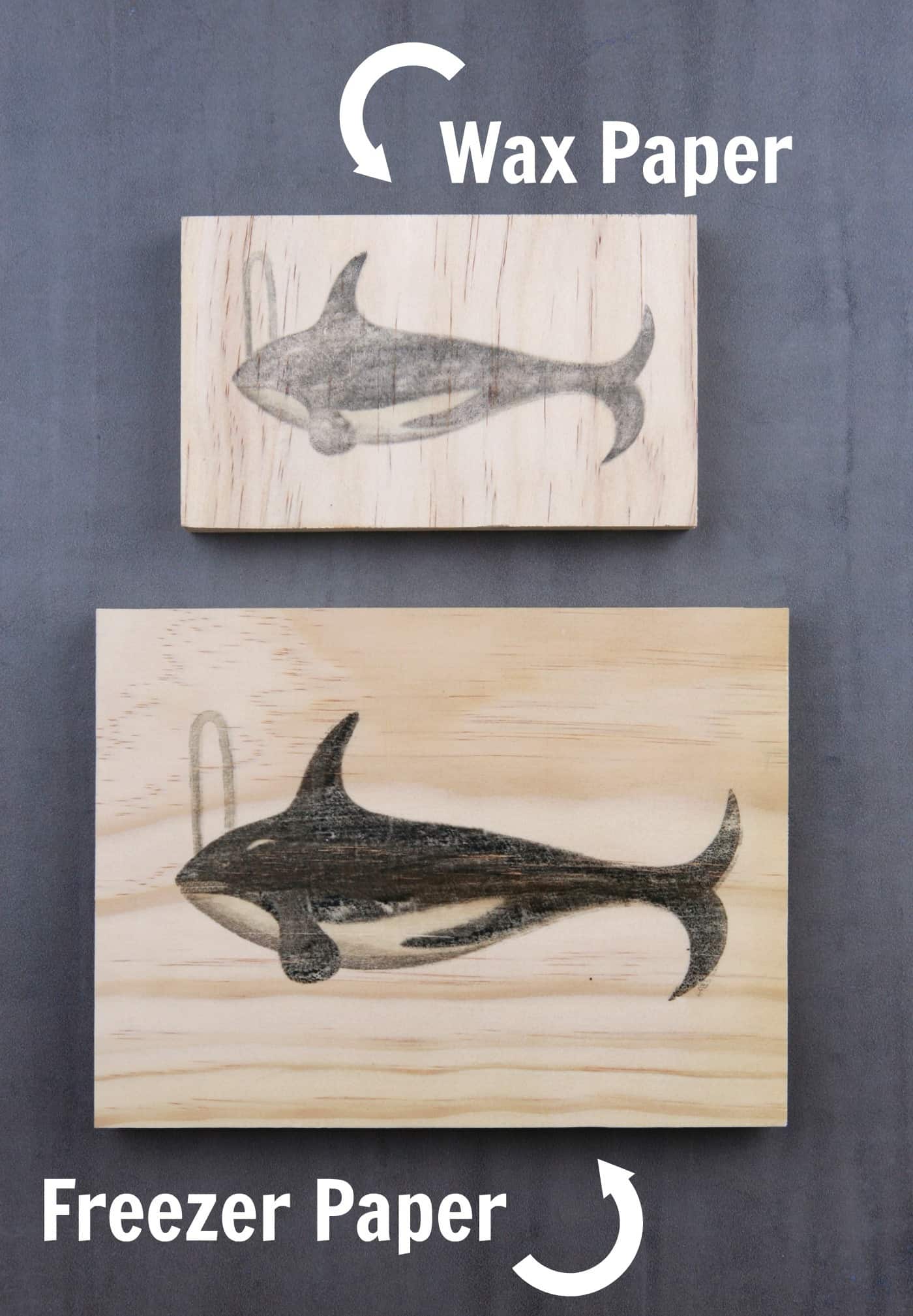
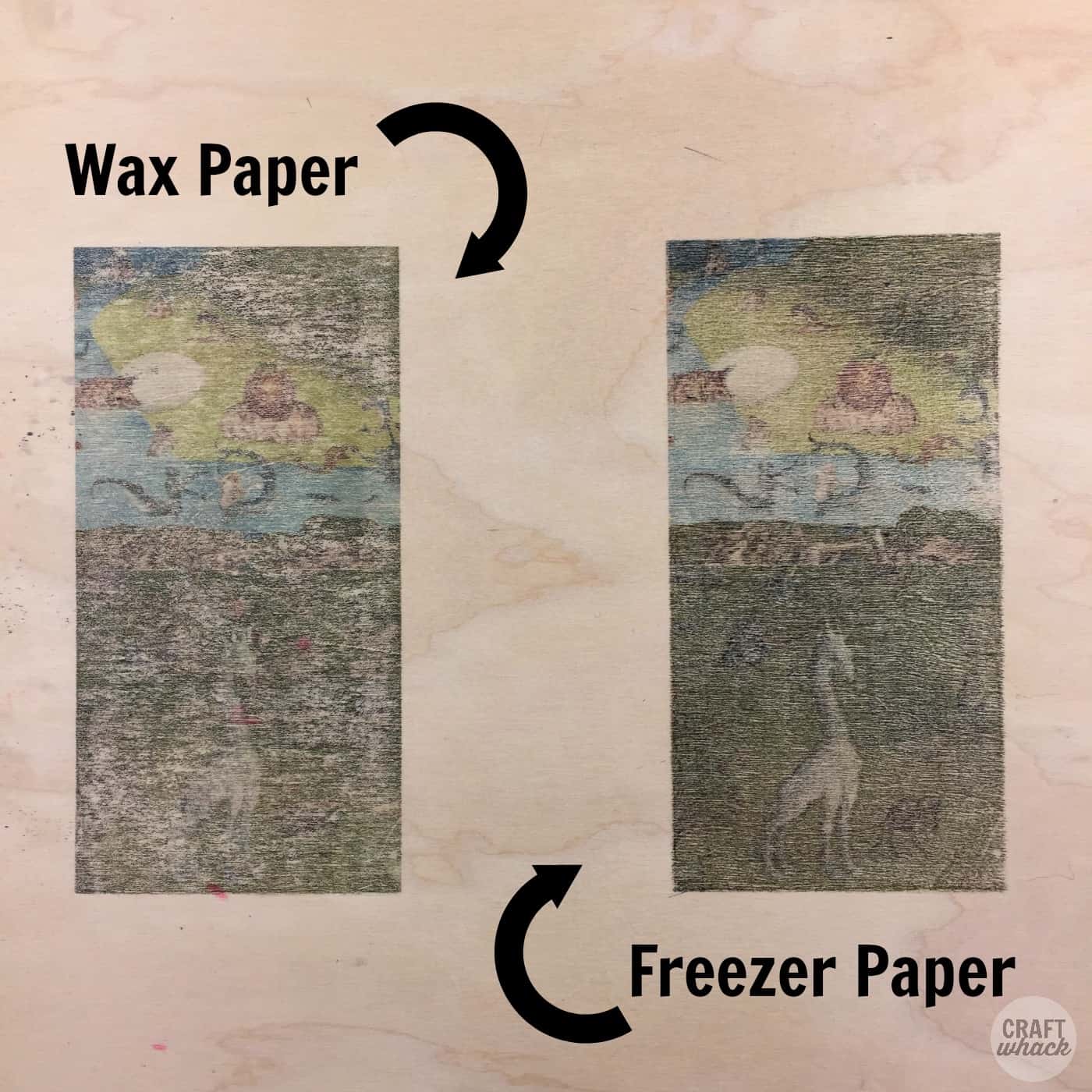
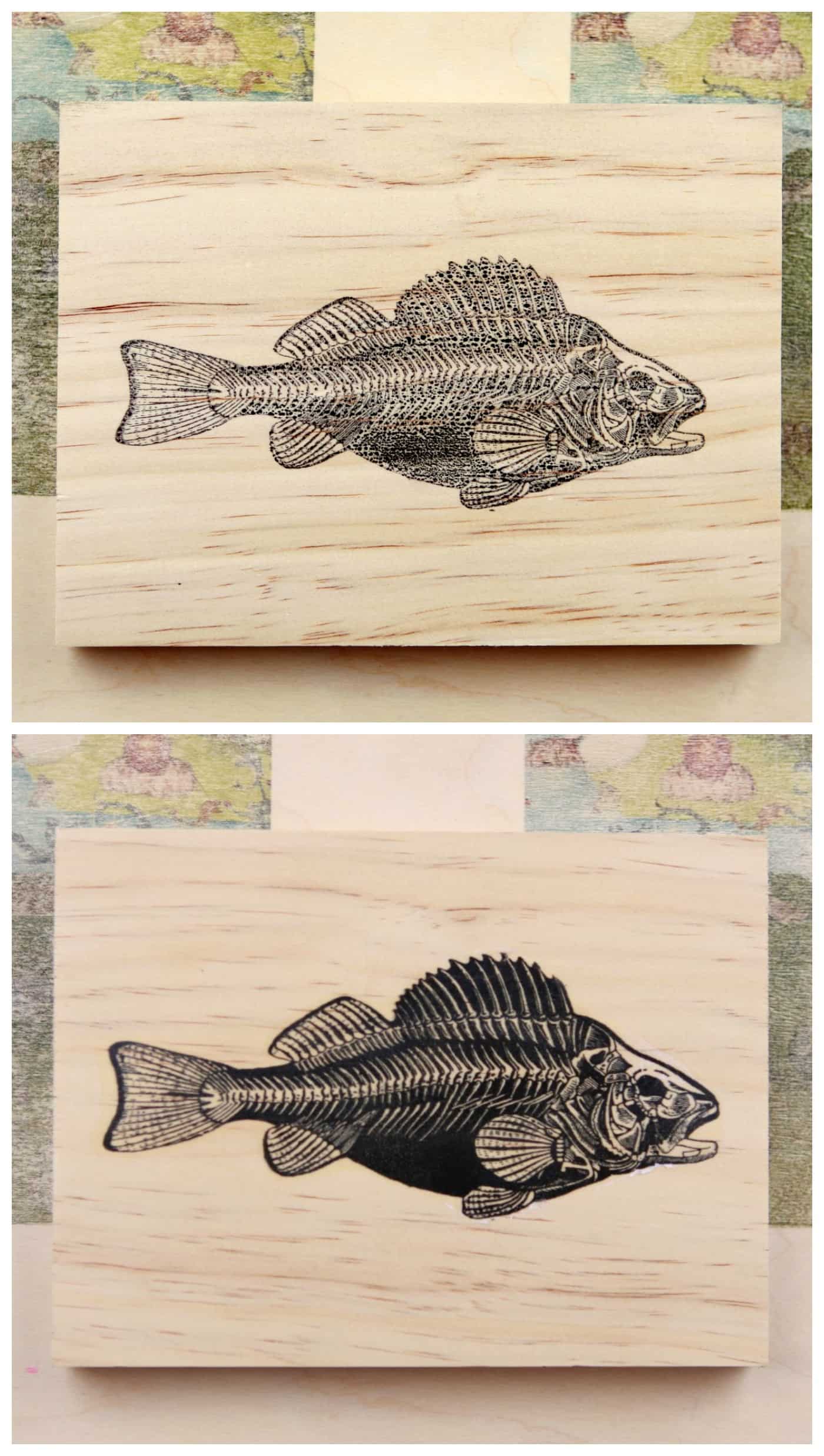
In these tests, freezer paper images looked a little more saturated and complete than wax paper ones. If you want a weathered or vintage look, wax paper may suit you better. Spray a clear finish over the top to protect the print and add depth.
This one used color prints of areas from Hieronymus Bosch’s The Garden of Earthly Delights on a big piece of birch plywood.
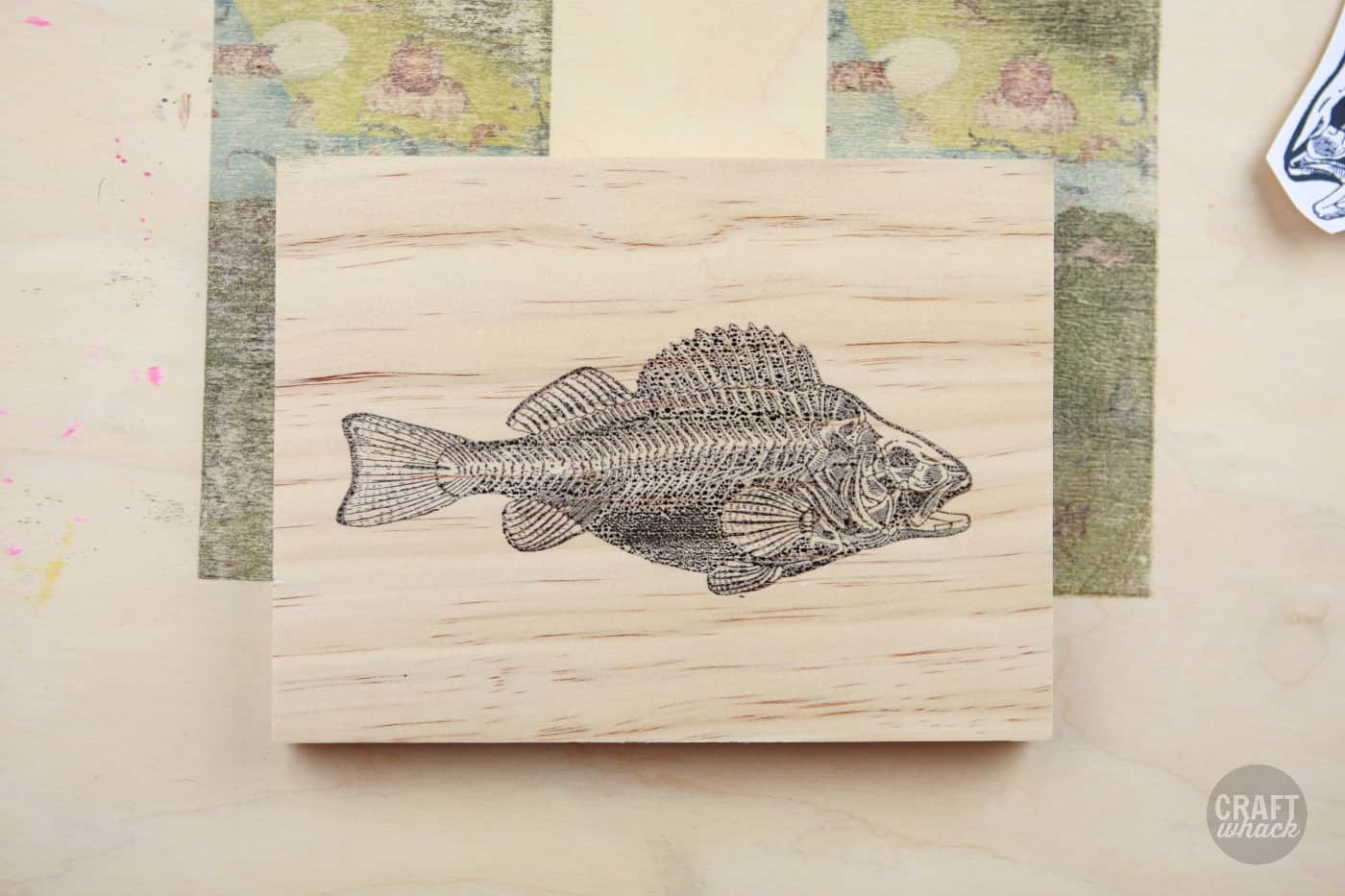
Waxy backing from sticker or label printer paper also works, if you already have some.
Wax Paper and Freezer Paper Pros and Cons
Pros: You can use inkjet prints, you probably already have the paper at home, and it is fast and not messy.
Cons: The paper can jam in the printer, and the print can look rustic if you expect a pristine result.
Inkjet Transfer Using T-Shirt Transfer Paper
You can transfer an inkjet print to wood using t-shirt transfer paper, and it works beautifully.
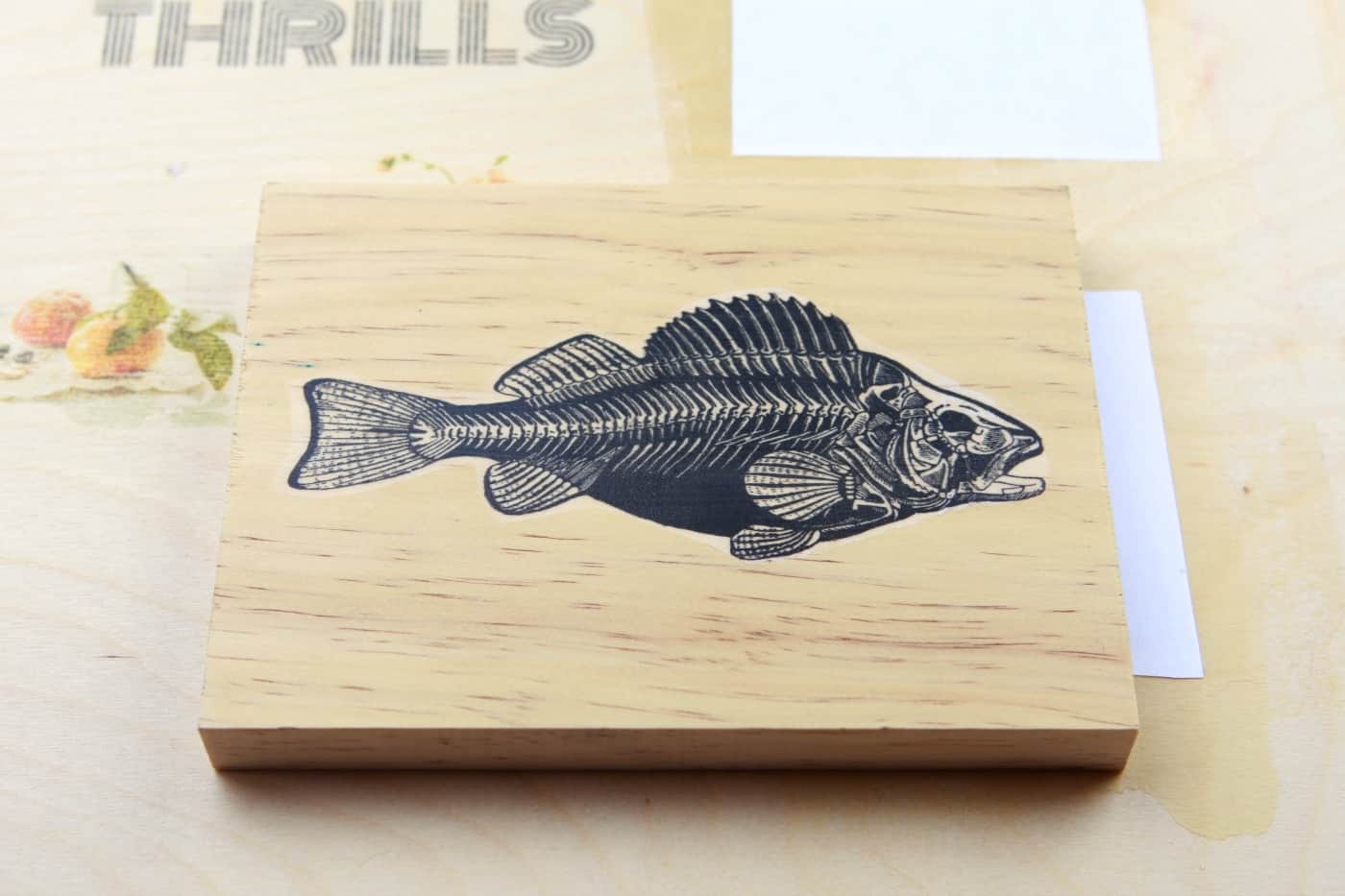
Supplies:
- Inkjet printer
- T-shirt transfer paper (brands are similar, but follow the package directions for your paper)
- Iron
- Thin cloth or pillowcase
- Clean, smooth, unfinished wood surface
This is easier than the two methods above: print, then iron the image onto the wood. You get a clean, saturated print. For a rustic look, stick with the waxy papers.
Technique:
- Print your mirror-reversed image onto the transfer paper in your inkjet printer.
- Let the print sit for about 5 minutes.
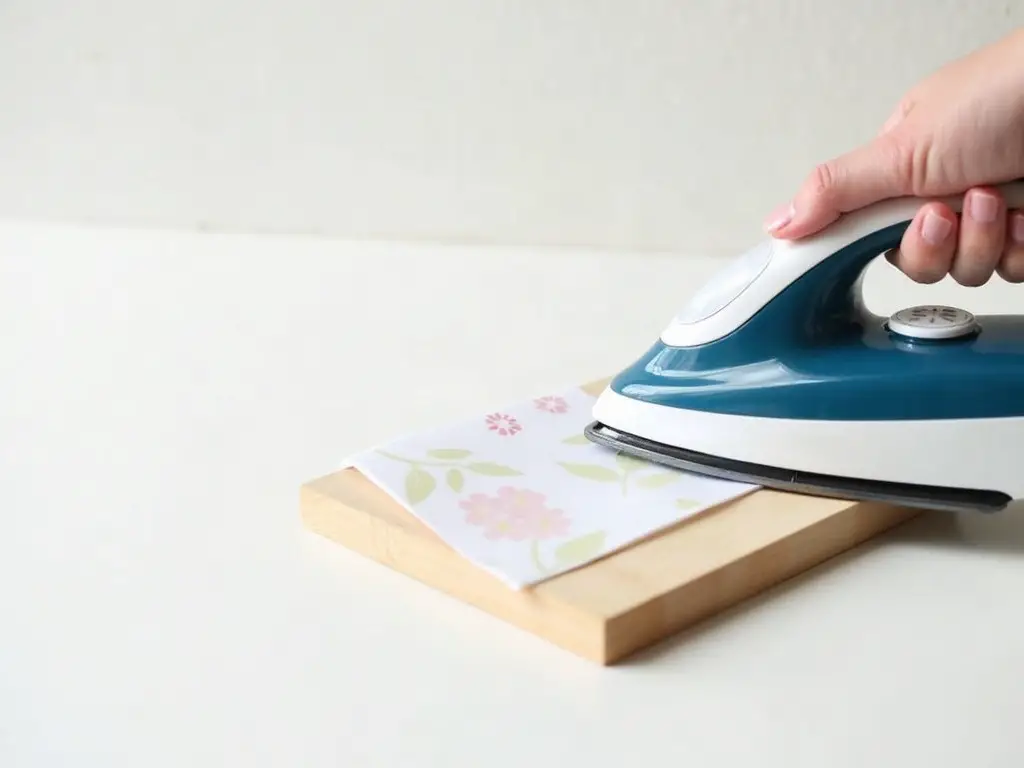
- Place it face down on your wood and cover the back with a thin cloth or pillowcase.
- Set the iron to the highest cotton setting with NO STEAM, or follow your paper’s directions, and press down firmly on one section at a time for about 15 seconds. Move the iron if you smell burning.
- Let it cool for a few minutes.
- Peek under the paper to check the transfer. Cover the whole image with the iron, since uneven ironing can rip the image.
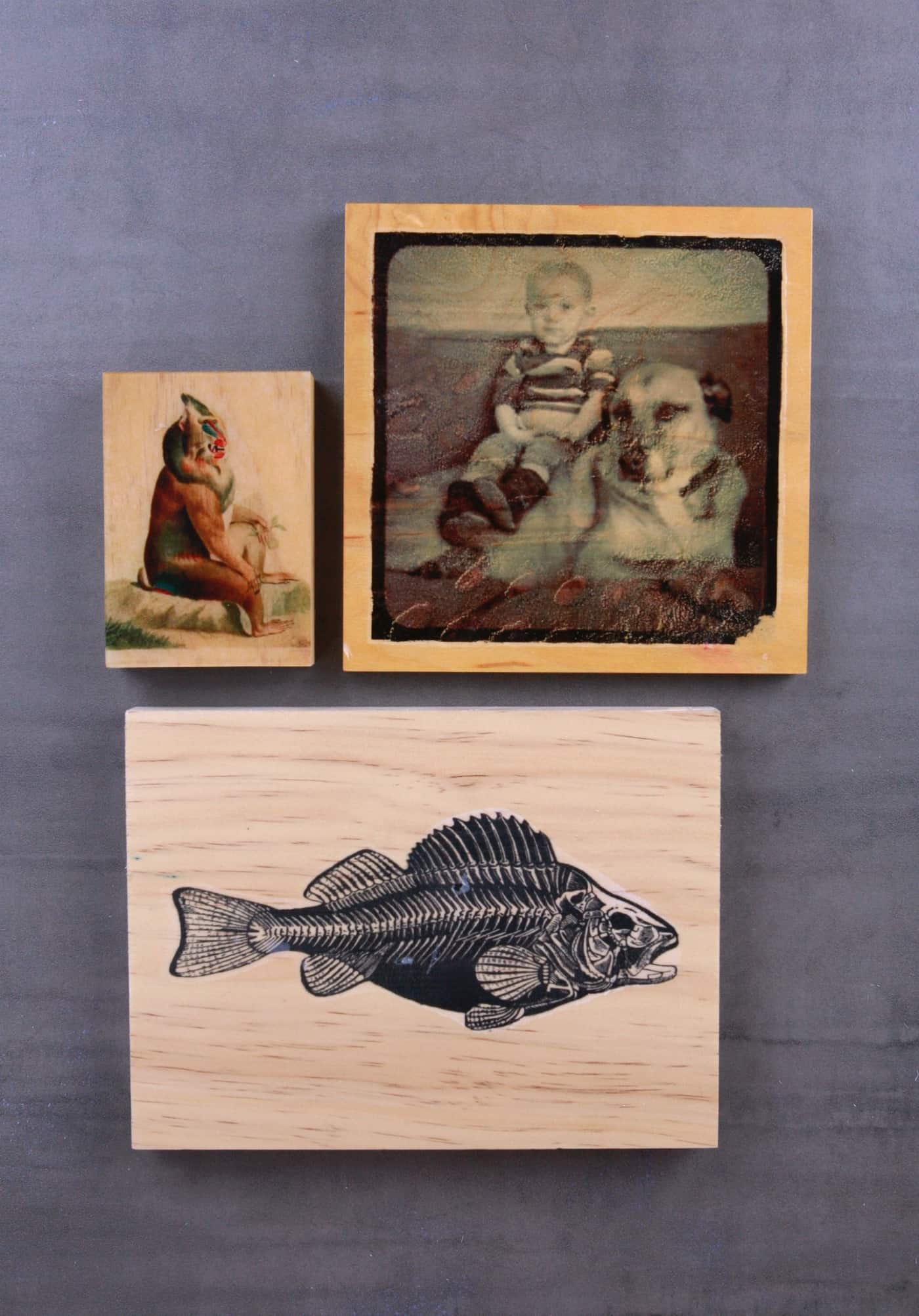
The monkey-type creature was made a few years ago with a 2-part epoxy over the surface for a glossy finish. If you use epoxy, work in a ventilated space and wear gloves. A photo of a boy and an old dog was tweaked in Photoshop to look old-fashioned and given the same epoxy topcoat.
The same technique was used for a self-portrait art project. For the weathered look, the iron was probably applied to the back of the transfer paper for a long time, so the paper buckled in places.
Inkjet T-Shirt Paper Transfer Pros and Cons
Pros: Prints are crisp and saturated, and the process is easy and not messy.
Cons: Parts of the print sometimes don’t iron down completely. You may need to repeat the ironing on a section that didn’t transfer.
Using Mod Podge or Acrylic Gel Medium for an Image Transfer
Acrylic gel medium has two image transfer techniques. One is like the print transfers above. The other leaves the image on the dried gel medium alone, so you can use that plastic-like layer for collage on wood.
Which Mod Podge Is Best for Photo Transfer to Wood?
Mod Podge makes a separate Photo Transfer Medium designed for this job, and the standard Matte Mod Podge is usually used as the final sealer. The author has only tried this with gel medium, but regular Mod Podge is reported to work the same way, so test it on scrap wood first. With either medium, use a laser print (or photocopy), not an inkjet print, which smears.
Supplies
- Acrylic gel medium or Mod Podge
- Laser print on regular printer paper (not photo paper). For a larger print, a copy shop can print large black-and-white engineering prints from a USB drive.
- Brush
- Eraser
Steps
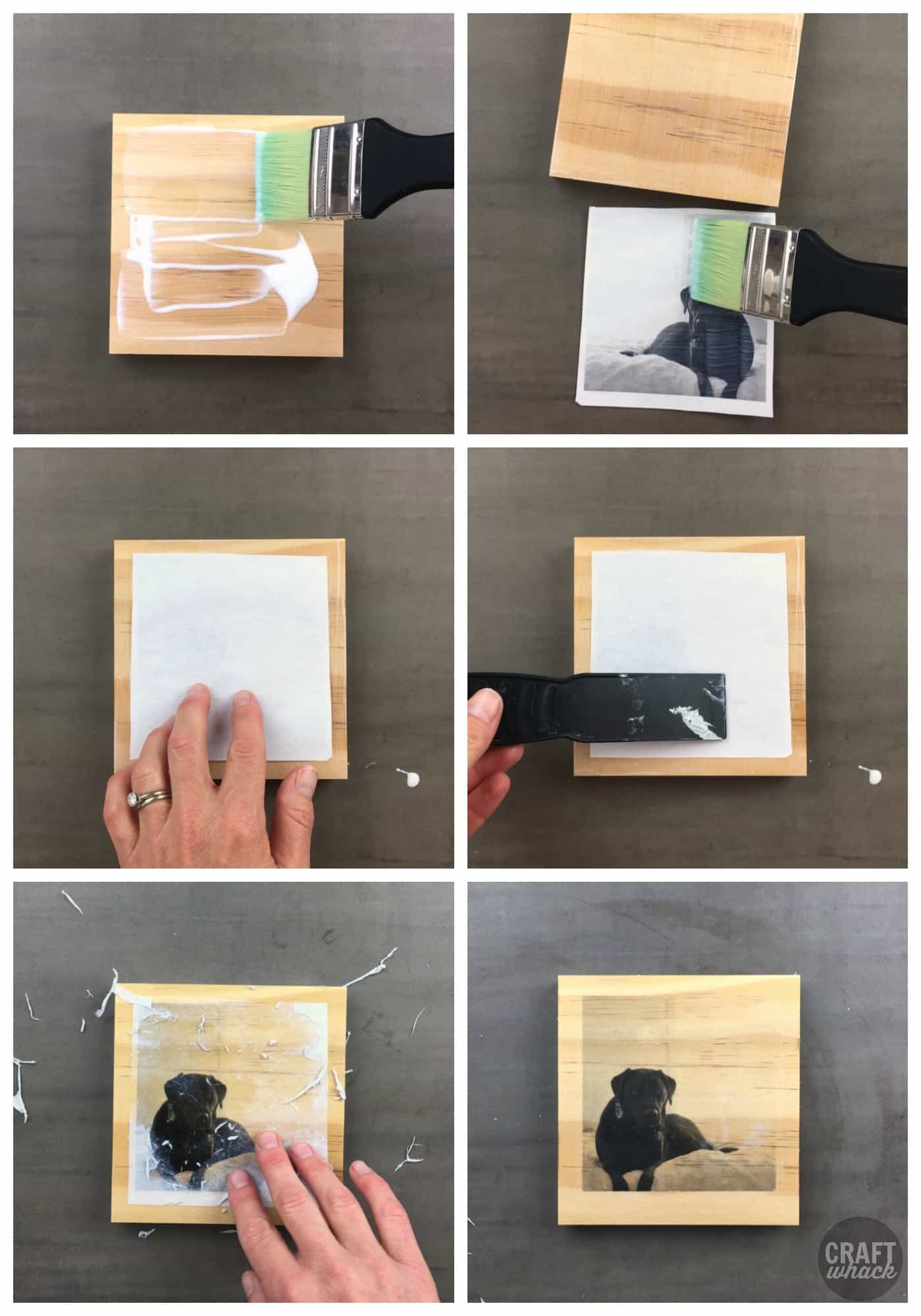
- Brush an even layer of medium over the whole wood surface. It should cover the wood without bare spots, but don’t glop it on.
- Place the laser print face down on the wet medium.
- Smooth it out with your fingers or a scraper or credit card. Don’t press so hard that the gel oozes out.
- Let it dry overnight.
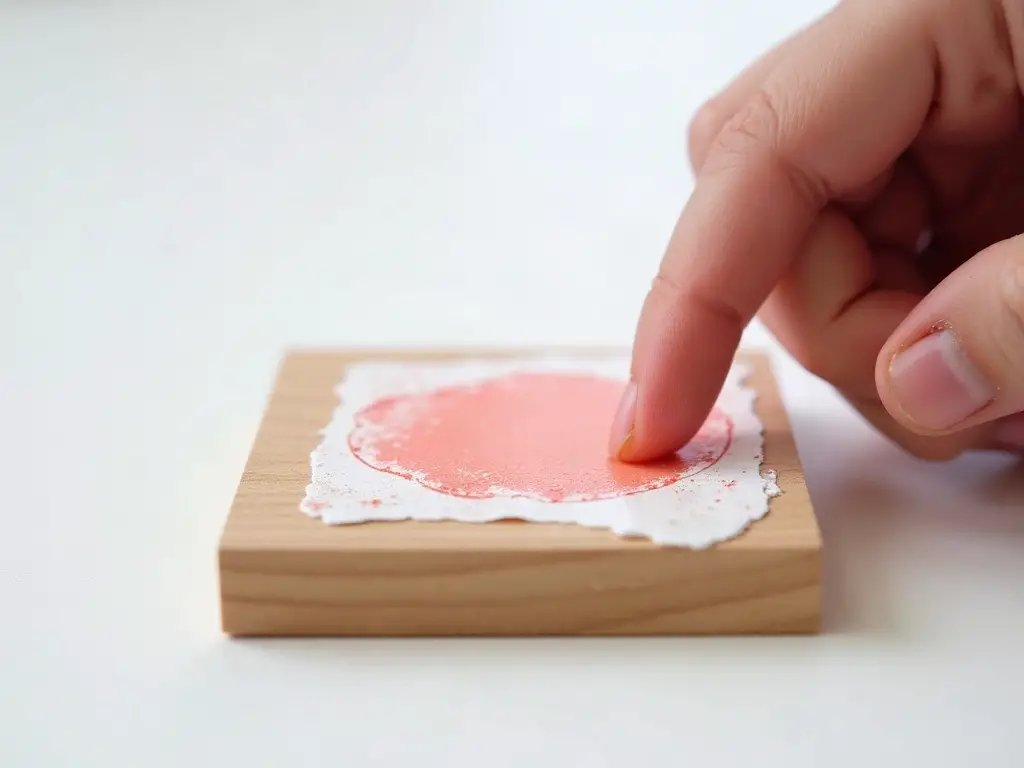
- Wet the back of the paper with water and rub the paper off with your fingers, an eraser or both. Start with your fingers to wet and loosen it, use the eraser for most of the removal, then finish with your fingers.
- Go over the image with another layer of medium, or paint or tinted medium first.
Some crafters also brush a layer of Mod Podge onto the image as well as the wood before pressing them together, which may be worth testing.
The author tested 4 types of gel medium to see which worked best. You May Also Like: Best Sublimation Printer
The 4 gel mediums used were:
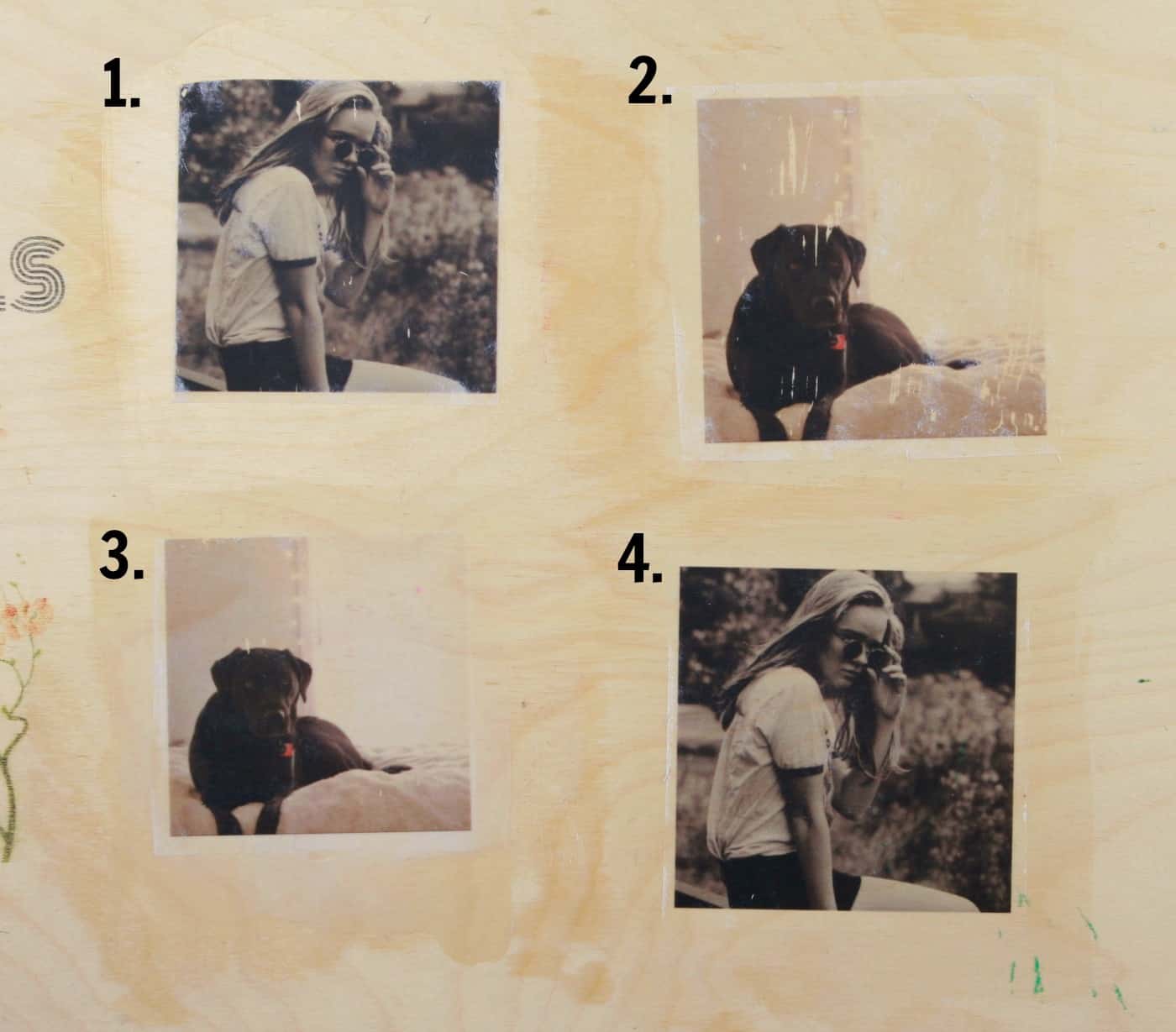
The favorite was the fluid matte Liquitex (4): it gave the richest print, the paper came off easily, it dries matte and the ink did not scratch during paper removal. The top two prints scratched away quite a bit, the bottom left did a little and looked milky, and the bottom right stayed on well and looked more saturated.
A National Geographic page pressed into a layer of gel medium also works, though it is a little more stubborn to get all the paper off.
Gel Medium and Mod Podge Transfer Pros and Cons
Pros: The wood can be a little less smooth because the image transfers to the gel on top, and it is easy to get a great print.
Cons: You need laser prints or photocopies. Inkjet prints smear or won’t transfer.
Gel Medium Print Transfer Technique #2
This one isn’t a wood transfer, but it makes a transparent image sheet you can collage onto wood.
Supplies
- National Geographic magazine pages (Vogue is reported to work too, because of the clay-based ink and coated paper)
- Acrylic gel medium, such as Golden Soft Gloss Gel
- Brush
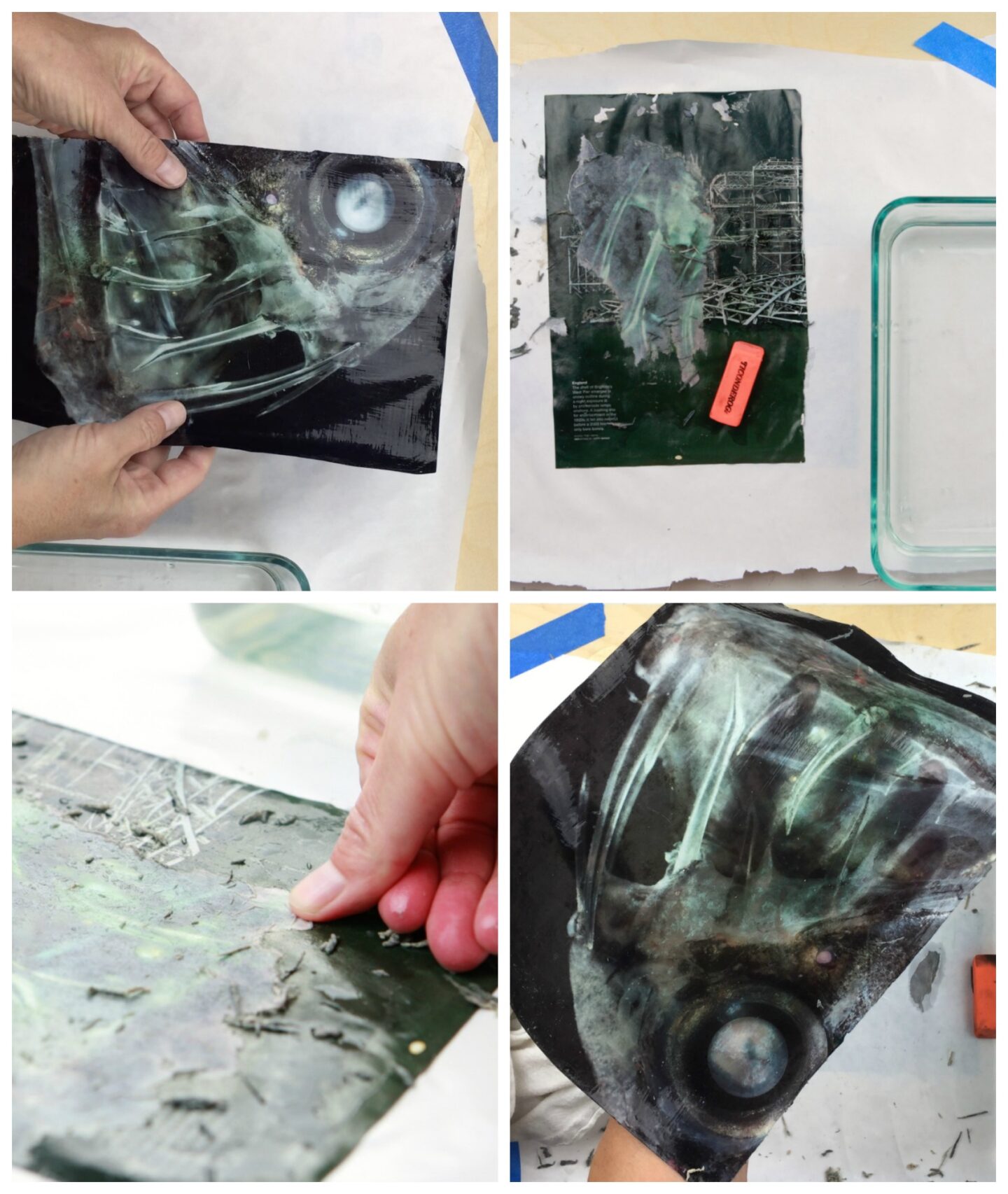
Technique
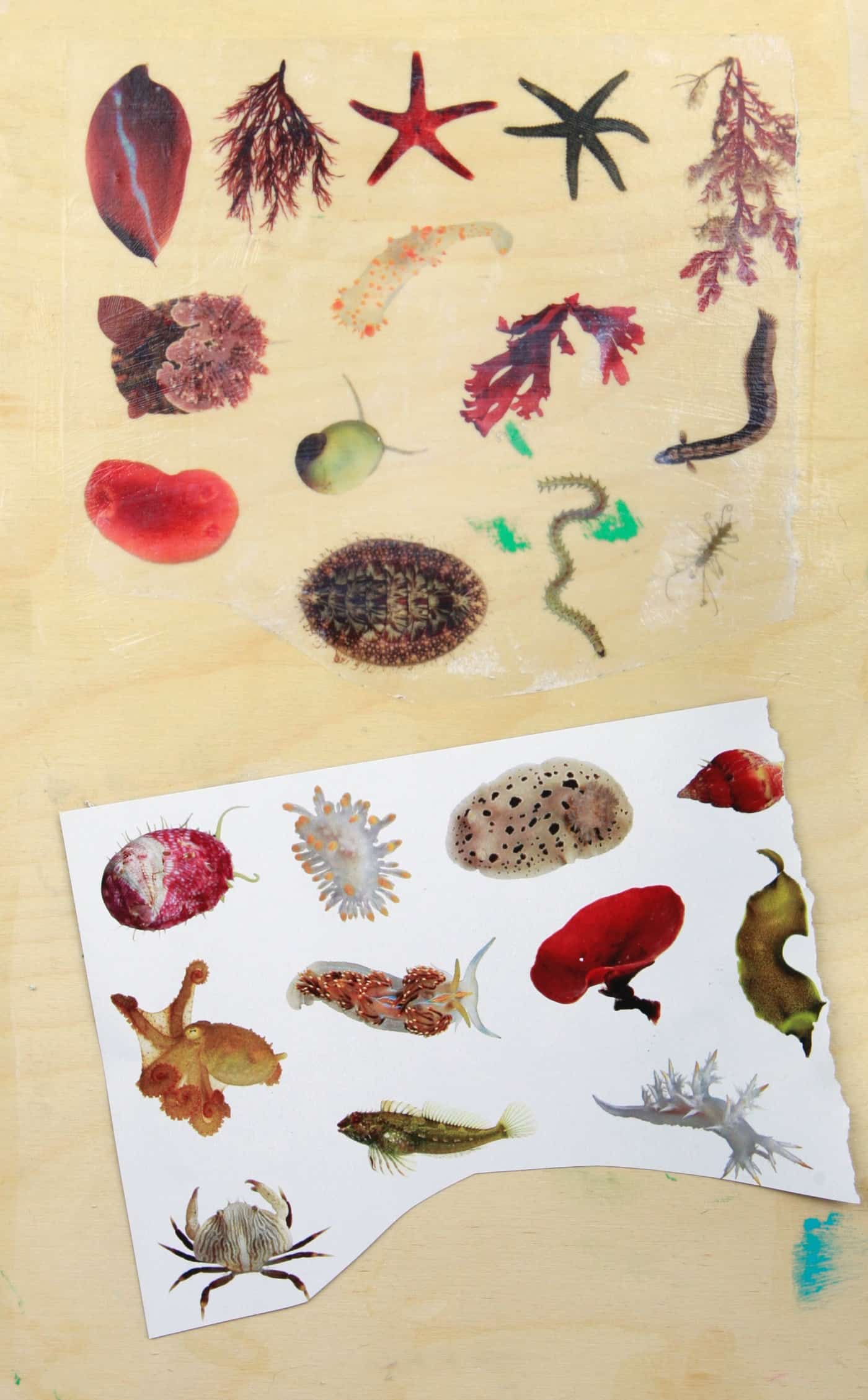
- Brush at least 10 layers of gel medium onto the magazine page, letting each dry completely.
- Remove the paper using the water, eraser and fingers technique.
- You are left with a thick layer of gel medium with the image on it. Use it as is, or cut it up for collage.
Blender Marker Print Transfer Onto Wood
A blender marker only works if it contains xylene. A Prismacolor blender (an alcohol-based one) transferred nothing, while this xylene blender did. The Chartpak AD blender is another well-known xylene marker.
Supplies
- Laser print, preferably black and white
- This blender marker, or another with xylene
- Smooth, unfinished wood surface
- Gloves and ventilation
Place the laser print face down on the wood and color over the back with the marker, then burnish with a plastic scraper before peeling. Practice first, since too much marker makes the ink smear.
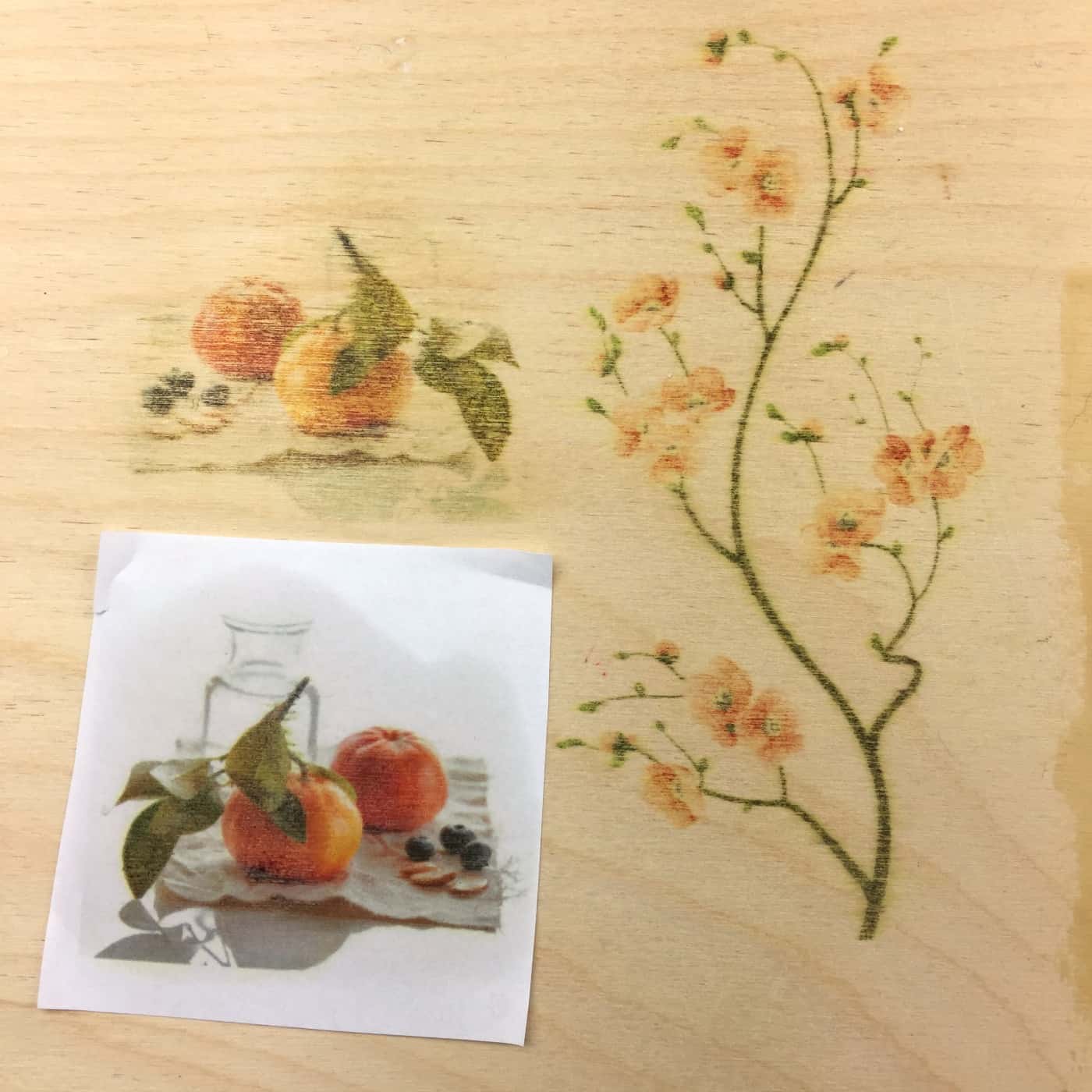
The color transfers did not look as good as the black and white ones, so the author sticks with black and white for this technique.
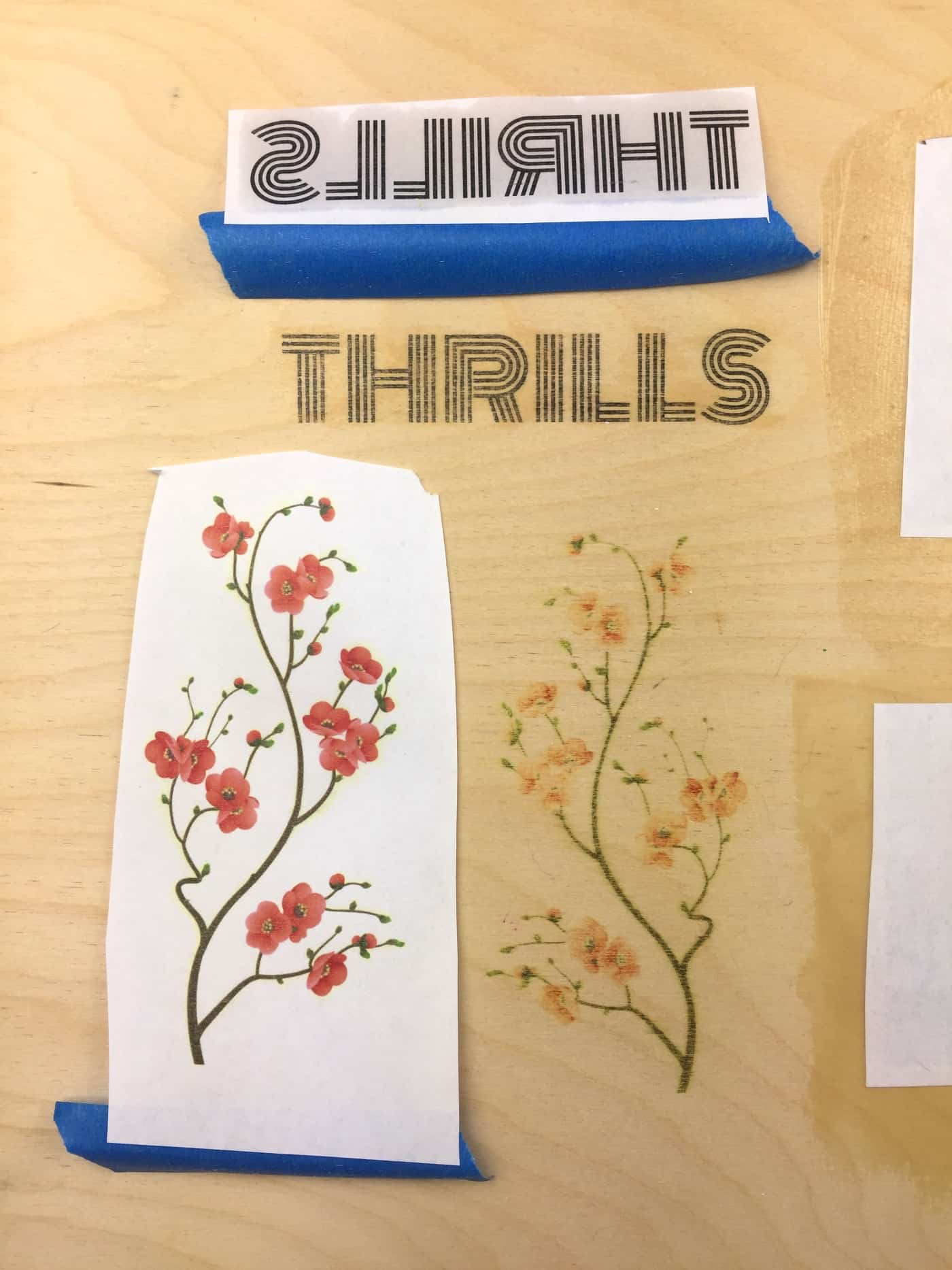
Pros and Cons of Blender Marker Transfer
Pros: It’s fast and easy.
Cons: Xylene has a strong smell and is a hazardous solvent, so work outdoors or in a well-ventilated area with gloves, and keep it away from kids. The ink can also pool if you use too much marker.
How to Transfer an Image to Wood With Acetone
Yes, you can transfer an image using acetone, but only with laser prints or color photocopies. The solvent loosens the toner so it moves from the paper to the wood. Inkjet prints don’t work, because that ink soaks into the paper.
- Print a mirror image on a laser printer (or make a color photocopy) at the size you want.
- Lay the print face down on smooth, unfinished wood and tape one edge so it can’t shift.
- Soak a cotton ball with 100% acetone and wet the back of the print.
- Rub back and forth with a credit card or burnisher while the paper is still wet, re-wetting as the acetone evaporates.
- Peel up a corner to check, then lift the paper off.
Safety: acetone is highly flammable and the fumes are strong. Work outdoors or by an open window, away from flames, with gloves, and keep it away from kids. It can also strip varnish, paint and other finishes, so it is best on bare wood. On raw wood it mainly raises the grain slightly.
In the author’s two attempts with a small laser print and drugstore acetone, nothing transferred. Results vary with the printer and toner, so test on scrap. Here is a video of someone transferring a print onto wood with acetone.
Citrasolv Print Transfer Onto Wood
You may have Citrasolv concentrate left over after making National Geographic melted ink pages.
To transfer a print (it must be a laser print or photocopy) onto wood with Citrasolv concentrate:
- Wear gloves and work in a ventilated space away from flames.
- Dampen a cotton ball or paper towel with a little Citrasolv.
- Press it onto the back of the print, which is lying face down on the wood.
- Rub it in gently, then use a card or brayer to rub the image onto the wood, then remove the print.
- The Citrasolv evaporates and leaves the image on the wood. Use Citrasolv concentrate, not the ready-to-use cleaner, or it won’t work.
Safety: the concentrate is mostly d-limonene (85 to 95 percent per its safety data sheet), a flammable liquid that can irritate skin and cause allergic reactions. It is plant-derived, but it is not harmless.
Here is a cute project by Ashley Hackshaw where she transferred a print onto a bent wood crown for her daughter.
Citrasolv Transfer Pros and Cons
Pros: The leftover concentrate can be used for more art projects or for cleaning, following the label.
Cons: It is a little messy, and it can be hard to find in stores, so you may need to order it online.
Print Transfer Onto Painted Wood
You can transfer onto painted wood with the wax and freezer paper methods, but the paint needs to be very smooth. Rough finishes only accept ink on the raised areas, so brushstrokes give a poor transfer.
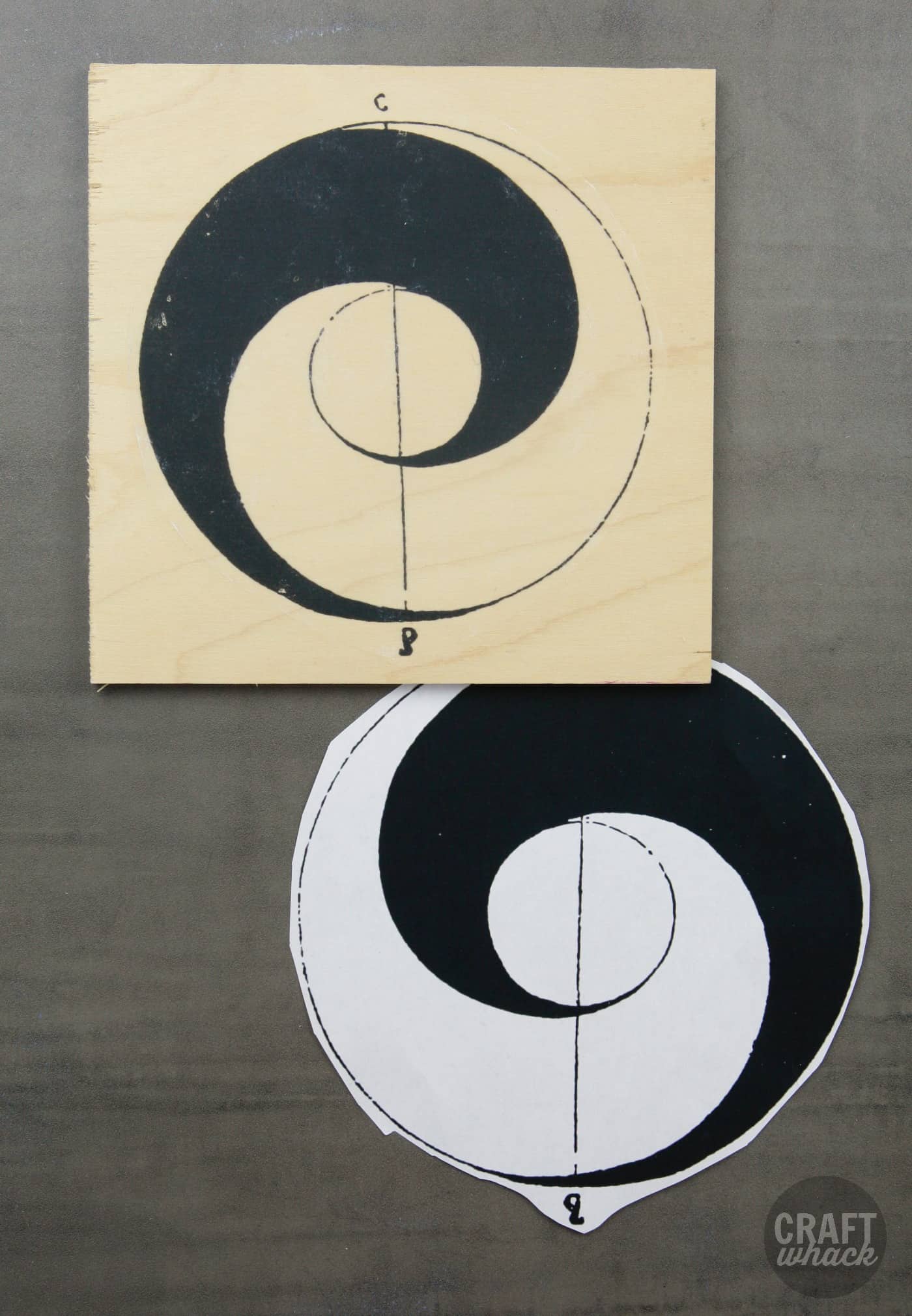
A better method is transferring a laser print into wet paint. The author used gesso for this cherry print, but acrylic paint gives the same look. Keep the surface smooth. In tests with three different paint colors dotted on the wood, the transfers came out uneven despite burnishing with a credit card, and one looked like a printout glued onto the gesso.
One untested idea: put gel medium over the paint and transfer the image into the gel.
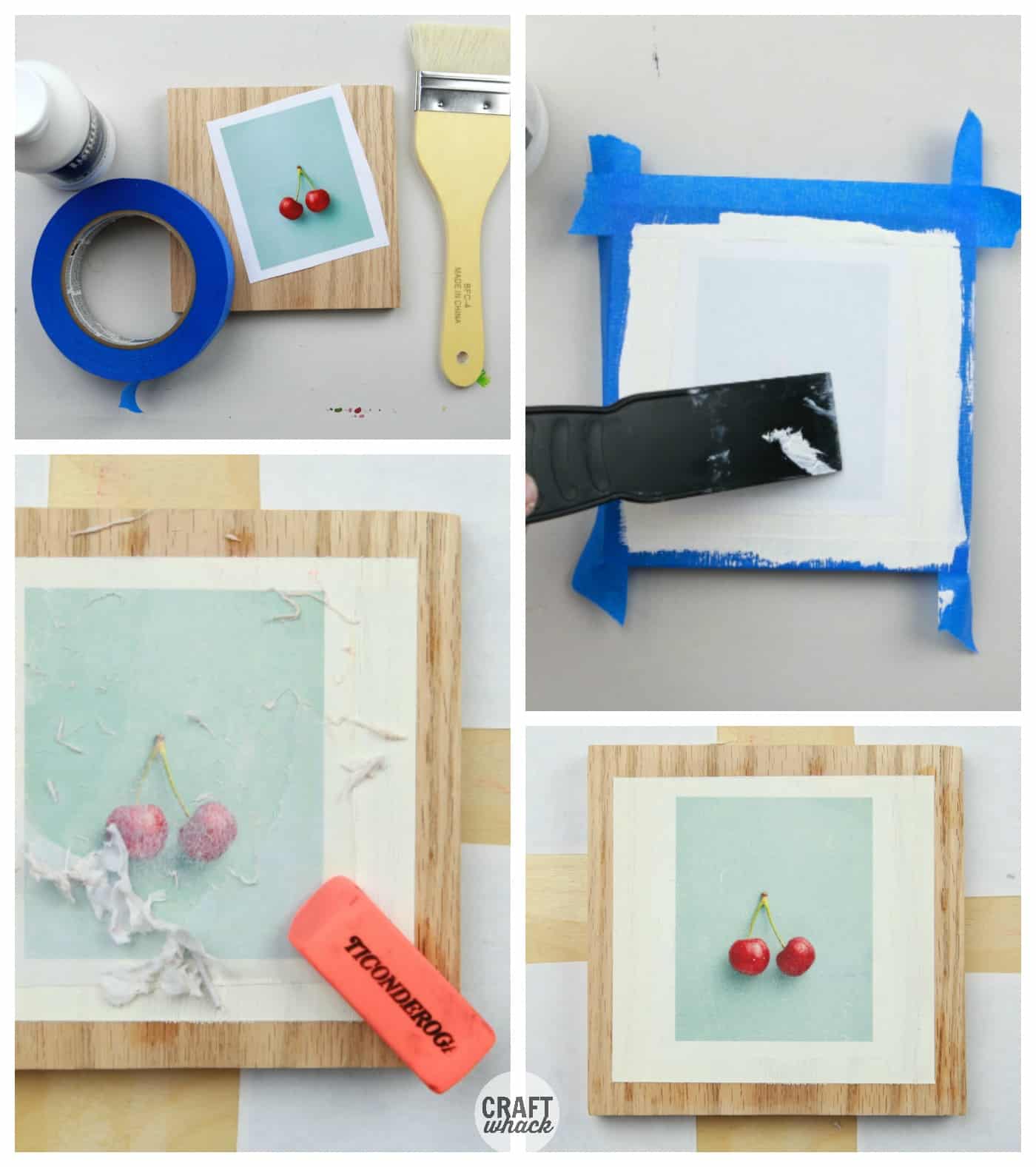
Mixing Print Transfer Techniques
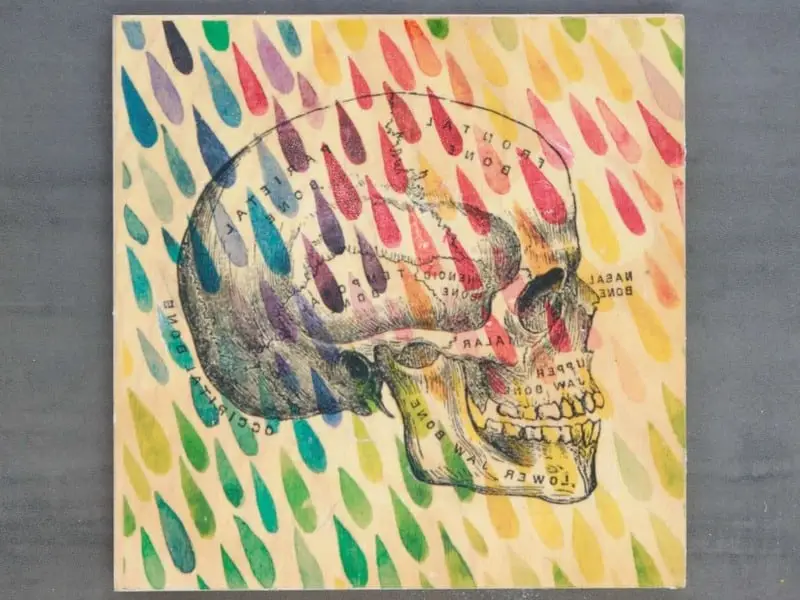
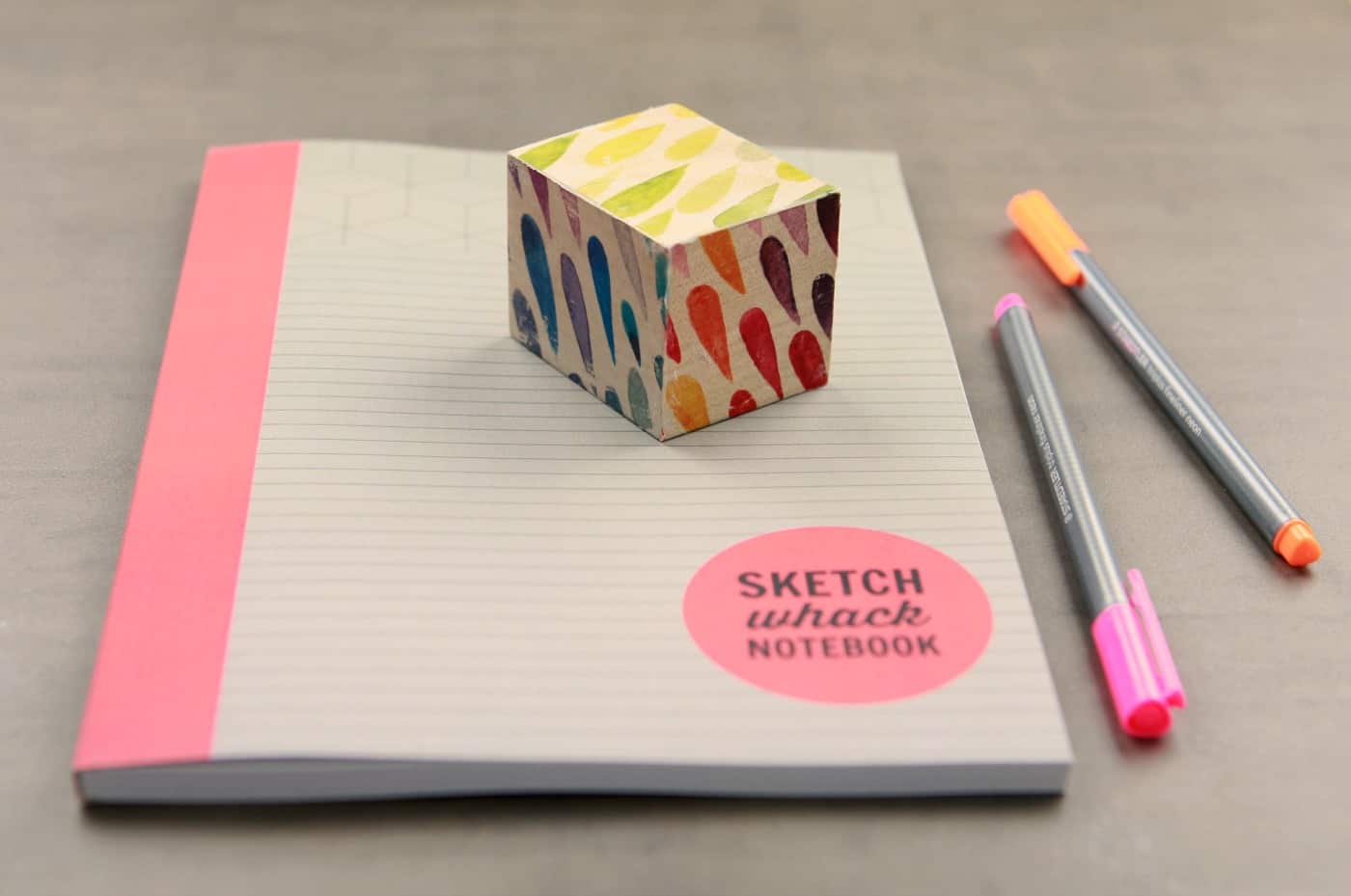
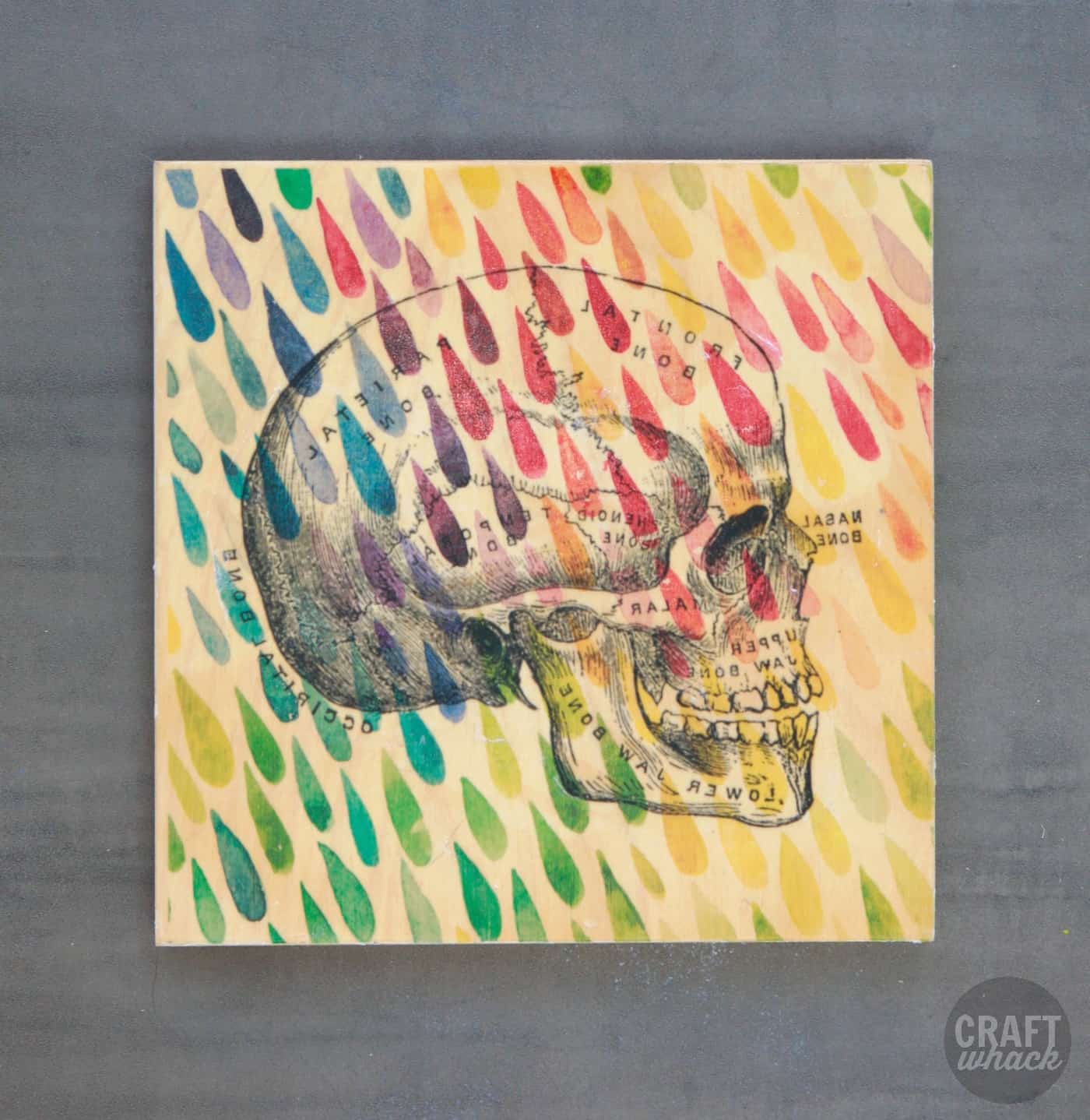
You can combine two methods. The first transfer used iron-on paper with this lovely colorful raindrop pattern.
After it cooled, Liquitex Matte Medium was used to transfer this skull. The image was not mirrored before printing, and it was used anyway.
If you try one of these, share it on Instagram and tag @Craftwhack.
The freezer paper, wax paper and gel medium methods are kid-friendly with supervision, and the solvent methods are not. For more, see these printmaking ideas to do with kids and packing tape image transfer.
Frequently Asked Questions
What is the best way to transfer an image onto wood?
It depends on your printer. For inkjet prints, freezer paper or t-shirt transfer paper is easiest. For laser prints, use Mod Podge photo transfer medium or gel medium for a smooth result.
Does acetone do anything to wood?
Acetone strips or clouds varnish, paint and other finishes, so test it on scrap first. On raw wood it mainly raises the grain slightly. It is also flammable, so use it with ventilation.
Can you transfer an image using acetone?
Yes, with a laser print or color photocopy placed face down. Wet the back with acetone and burnish with a card. It does not work with inkjet prints.
Which Mod Podge is best for photo transfer to wood?
Mod Podge Photo Transfer Medium is the product made for this. Use a laser print on plain paper, not photo paper, and let it dry for 24 hours before rubbing the paper off.
What’s the difference between Mod Podge and Mod Podge Photo Transfer?
Mod Podge Photo Transfer Medium is made to lift a printed image and set it on a surface. Classic Mod Podge is a glue and sealer, usually used on top as the finish.
Can I transfer pictures to wood using Mod Podge?
Yes. Brush it on the wood, press a laser print face down, let it dry, then wet and rub off the paper. Inkjet prints smear with this method.
Pin it:
You May Also Like: Best Printer for Heat Transfers
You May Also Like: Best Printer for Heat Transfers
Comments
0 comments